 Inqodo
On this page
Most SaaS products lose half their signups in the first session. Not because the product is bad, but because the onboarding is. A founder spends six months building the product and six minutes planning how new users will figure it out. The result is a signup form followed by a dashboard full of empty states and a user who closes the tab.
SaaS onboarding best practices focus on creating a deliberate path from signup to value. Good onboarding is not a product tour or a welcome email. It is the structured experience that takes someone from “I just signed up” to “I got value from this.” That path determines whether they stay or leave. This guide covers twelve proven strategies that actually work, based on what we have built for production SaaS products and what the data shows keeps users around.

Personalize Onboarding by Role, Goal, or Use Case
A project manager and a developer signing up for the same tool need different things. The project manager wants to see how teams collaborate. The developer wants API access and integration options. Showing both of them the same generic walkthrough wastes their time and yours.
Ask one question during signup that segments users by role, team size, or primary goal. Use that answer to customize what they see first. A CRM might ask whether someone is in sales, support, or management. A sales user sees lead tracking. A support user sees ticket workflows. Same product, different entry point.
This is not complicated to build. It is a conditional screen in your onboarding flow. Most founders skip it because they assume everyone wants to see everything. They do not. They want to see the part that solves their specific problem, and they want to see it immediately.
We built this for a B2B scheduling tool where enterprise admins needed compliance features and individual users needed calendar sync. The onboarding split based on team size. Completion rates went up 40% because people stopped abandoning a flow that felt irrelevant.
- Ask one segmentation question during signup
- Show different first steps based on the answer
- Let users skip or change their path if they want to explore
- Track completion by segment to see which paths work
Reduce Friction in Signup and First Steps
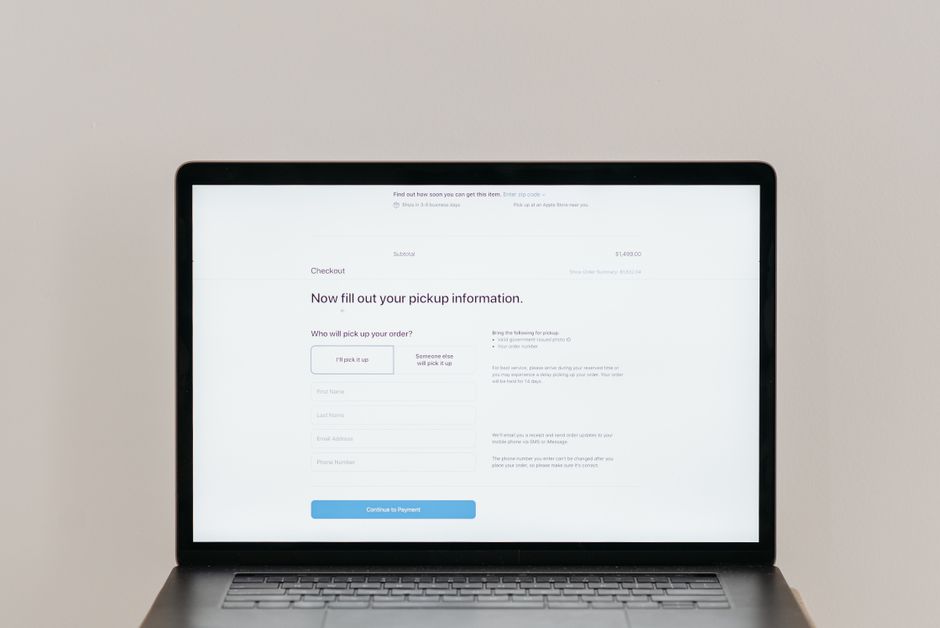
Every field you add to your signup form costs you users. Email and password is enough for most SaaS products. Company name, phone number, and job title can wait until later, or not exist at all if you do not genuinely need them.
The same applies to the first session. If your product requires 20 minutes of setup before someone can try it, most people will not finish. They came to see if this solves their problem, not to configure settings. Let them use a working version first, even if it is limited or uses placeholder data.
One analytics platform we worked with required users to install tracking code before they could see any interface. Activation rate was 18%. We added a demo dataset option so users could explore the dashboard immediately. Activation jumped to 52%. Some still installed the code. Others saw the value first and then committed to setup.
According to a 2025 study by Appcues, reducing signup fields from five to three increased conversion rates by an average of 26%, and products that allowed users to experience core value before requiring configuration saw 2.3x higher activation rates.
- Use email and password only for initial signup
- Offer a demo mode or sample data to skip setup
- Delay non-essential configuration until after first value
- Remove fields you are collecting but not using

Use In-App Guidance Like Tooltips, Checklists, or Product Tours
Most users will not read your documentation. They will click around until something makes sense or until they give up. In-app guidance meets them where they are, explaining features at the moment they encounter them instead of in a separate help center they will never visit.
Tooltips work for highlighting individual features. A small overlay that says “This is where you invite team members” next to the relevant button is enough. Checklists work for multi-step workflows. Show progress, let users check off tasks, and give them a clear next action. Product tours work for first-time users who need orientation, but keep them short. Three steps, not twelve.
The mistake is over-explaining. A tooltip that contains three paragraphs is not helpful. It is a manual disguised as a tooltip. One sentence. If you need more, link to a help article for people who want depth.
We added a five-item checklist to a project management SaaS during onboarding: create a project, add a task, invite a teammate, set a due date, mark something complete. Completion rate for that checklist was 68%, and users who finished it had 3x higher retention at 30 days. The checklist gave them a clear path instead of an empty dashboard.
- Use tooltips for single actions, one sentence each
- Use checklists for multi-step onboarding workflows
- Keep product tours under four steps
- Let users dismiss or skip guidance without penalty

Drive Early Activation or a Quick Win
Activation is the moment a user experiences the core value of your product. For a design tool, it is creating their first design. For a CRM, it is adding their first contact. For an email platform, it is sending their first campaign. That moment matters more than anything else in onboarding because it answers the question “does this actually help me?”
Most products bury activation behind setup steps. You have to configure integrations, import data, invite teammates, and set preferences before you can do the thing you signed up to do. By the time you get there, you are tired of the product and you have not used it yet.
Flip that. Let users reach activation in the first session, even if it means skipping optional setup. A scheduling tool should let someone book a test appointment in two minutes, not after 20 minutes of calendar syncing. Sync the calendar later. Prove the value first.
One invoicing SaaS we built let users generate and preview their first invoice in under 90 seconds using placeholder client data. They could see exactly what their customers would receive before entering real information. That preview was activation. Users who reached it in session one had 4x higher conversion to paid than users who started with account setup. When you are deciding between building an MVP or a full product, designing for fast activation should be part of your core MVP.
- Define what activation means for your product
- Design onboarding to reach that moment in under five minutes
- Use sample or placeholder data to remove setup friction
- Measure time to activation and optimize it

Follow Up with Onboarding Emails or Other Support Touchpoints
Not everyone finishes onboarding in one session. They sign up, look around, and leave. That is normal. What matters is whether you bring them back.
Send a sequence of onboarding emails over the first 7 to 14 days. The first email should remind them what they signed up for and give them one clear next step. Not five tips, one action. “Finish setting up your account” or “Create your first project.” Subsequent emails can introduce features, share use cases, or offer help, but each email should have a single focus.
Timing matters. Send the first email within an hour of signup if they did not complete onboarding. Send the second email 24 hours later if they still have not activated. After that, space emails two to three days apart. Too frequent feels like spam. Too infrequent and they forget why they signed up.
We also recommend offering a live onboarding call for higher-value products or enterprise plans. A 15-minute call where someone walks a new user through setup and answers questions can be the difference between activation and churn. Not every product needs this, but if your average contract value is over $500 per year, it is worth it. For more complex products, especially those involving multi-tenant architecture, a human touchpoint during onboarding often pays for itself in retained revenue.
- Send the first email within one hour if onboarding is incomplete
- Focus each email on one action, not multiple tips
- Space emails two to three days apart after the first two
- Offer a live onboarding call for enterprise or high-value plans

Build Onboarding for Teams, Not Just Individuals
Most SaaS onboarding is designed for one person. That works for solo tools. It breaks for team products. A project management tool is not useful if only one person on the team is using it. A collaboration platform with one user is not collaborating with anyone.
Team onboarding means designing for the person who signs up and the people they need to invite. Make inviting teammates part of the onboarding checklist. Explain why it matters. “Invite your team to start collaborating” is vague. “Add at least two teammates to assign tasks and track progress” is specific.
Once teammates join, onboard them separately. Do not assume they know what the first user knows. They did not go through your marketing site. They got an email invite. Show them what the product does and what their role is. A new team member joining a workspace should see a tailored intro, not an empty screen.
For enterprise products, onboarding includes stakeholder management. The person using the product day-to-day is not always the person who approved the purchase. That executive wants to see ROI, usage stats, and proof that the team is adopting it. Build a simple admin dashboard that shows who is active, what features are being used, and how often. That visibility keeps the buyer confident and reduces the risk of churn at renewal. If you are working with a development team, understanding how to hire the right SaaS developers is essential for building these team-focused features correctly.
- Include team invites as a core onboarding step
- Onboard new team members separately with role-specific guidance
- Provide admin dashboards for enterprise buyers to monitor adoption
- Explain why team features matter, not just how they work
Use Adaptive or Behavior-Based Onboarding Paths
Static onboarding assumes every user follows the same path. Adaptive onboarding changes based on what the user actually does. If someone skips a step, the system adjusts. If they use a feature heavily, it suggests related features. If they get stuck, it offers help.
This is where AI-driven onboarding makes sense. Track user behavior in real time and respond. Someone who uploads a file but does not share it might see a tooltip about collaboration features. Someone who creates five projects in their first session might see advanced workflow options. Someone who has not logged in for three days gets a re-engagement email with a specific suggestion based on what they did last time.
Most products do not do this because it requires more than a standard onboarding tool. You need event tracking, conditional logic, and a system that can trigger different flows based on user actions. It is not complicated to build, but it is not a plug-in solution either.
We built adaptive onboarding for a content management SaaS where different users had different goals: some wanted to publish quickly, others wanted granular control over permissions and workflows. The system tracked which features they used first and adjusted the onboarding checklist accordingly. Users who wanted speed saw publishing steps. Users who explored settings saw governance features. Completion rates improved because the onboarding felt relevant instead of generic. If you are exploring how to build a SaaS product with AI, adaptive onboarding is one of the highest-value AI applications you can implement.
- Track which features users engage with first
- Adjust onboarding steps based on behavior, not assumptions
- Trigger contextual help or suggestions when users get stuck
- Use re-engagement emails with personalized next steps
SaaS Onboarding Best Practices: Measure Success with the Right Metrics
You cannot improve onboarding if you are not measuring it. The metrics that matter are activation rate, time to activation, onboarding completion rate, and feature adoption during onboarding.
Activation rate is the percentage of signups who reach your defined activation event. If 100 people sign up and 35 complete their first meaningful action, your activation rate is 35%. That number tells you whether your onboarding is working. Anything below 25% means most users are leaving before they see value.
Time to activation measures how long it takes users to reach that first value moment. Faster is better. If it takes 45 minutes on average, find out why and cut it in half. Every extra step costs you users.
Onboarding completion rate tracks how many users finish your onboarding flow, whether that is a checklist, a tutorial, or a setup wizard. If 60% start and 20% finish, the flow is too long or too confusing. Break it into smaller steps or remove unnecessary ones.
Feature adoption during onboarding shows which features new users actually use. If you are promoting five features and everyone only uses two, focus onboarding on those two. The others can come later. Founders often overload onboarding because they want to show everything the product can do. Users want to solve one problem first. For a deeper look at common pitfalls, see our guide on SaaS startup mistakes to avoid.
- Track activation rate as your primary onboarding metric
- Measure time to activation and optimize for speed
- Monitor onboarding completion and drop-off points
- Analyze which features users adopt first and prioritize those
Frequently Asked Questions
What are the best practices for SaaS onboarding?
The best SaaS onboarding practices focus on reducing friction, personalizing the experience by role or goal, driving users to an early activation moment, and using in-app guidance like tooltips or checklists. Follow up with targeted emails and measure activation rate and time to value to continuously improve the flow.
How do you improve SaaS customer onboarding?
Improve onboarding by identifying where users drop off and removing unnecessary steps before activation. Personalize the flow based on user type, let people experience value before requiring full setup, and use behavior-based triggers to guide users contextually. Measure time to activation and optimize for speed.
What should a SaaS onboarding checklist include?
A SaaS onboarding checklist should include three to seven clear, actionable steps that lead directly to activation. Typical items are account setup, completing a core action, inviting teammates if relevant, and exploring one key feature. Each step should have a single focus and take under five minutes to complete.
How long should SaaS onboarding take?
Effective SaaS onboarding should take under 10 minutes for a user to reach their first moment of value. The full onboarding experience, including secondary features and team setup, can extend over 7 to 14 days through emails and in-app prompts, but the first session should deliver a quick win in five minutes or less.
How do you measure SaaS onboarding success?
Measure onboarding success using activation rate (percentage of signups who complete a core action), time to activation (how quickly users reach value), onboarding completion rate (how many finish the flow), and feature adoption during onboarding. Track drop-off points to identify friction and improve conversion at each step.
What is the difference between onboarding and activation in SaaS?
Onboarding is the full process of introducing new users to your product, including signup, setup, and feature education. Activation is the specific moment within onboarding when a user completes a meaningful action that delivers core value, such as creating their first project or sending their first message. Activation is the goal of onboarding.
Should SaaS onboarding be different for free and paid users?
Yes. Free users need faster onboarding that proves value immediately to encourage conversion. Paid users, especially on enterprise plans, benefit from more detailed onboarding including live calls, admin dashboards, and team setup guidance. Tailor the depth and support level to the user’s commitment and plan tier.
Ready to Get Started?
Good onboarding is not a feature you add at the end. It is part of the product architecture from the start. If you are building a SaaS product and want onboarding designed into the flow, not bolted on afterward, we can help. We build production-ready SaaS products with onboarding, activation tracking, and user flows that actually convert.
We have built onboarding systems for B2B tools, AI-powered platforms, and multi-tenant SaaS products used by thousands of users. We know what works because we have shipped it. If you want to talk through your onboarding strategy or need a team to build it properly, get in touch with our SaaS development experts at Inqodo to start implementing these best practices in your product today.
Inqodo
Inqodo Team