 Inqodo
On this page
No. SAS and SaaS are not the same thing. SAS is statistical analysis software you install on your own servers. SaaS is software you access through a web browser and someone else hosts. The confusion is understandable — they’re both acronyms, both involve software, and both get shortened in conversation. But they solve different problems in completely different ways.
If you’re searching for this, you probably saw “SAS” in a contract or a conversation and wondered if it was a typo. Or you’re trying to figure out whether the software you need is something you install or something you subscribe to. The short answer: SAS is a specific product (made by a company called SAS Institute). SaaS is a delivery model — how thousands of products, including ones we build at Inqodo, get to users.

What SAS Actually Is
SAS stands for Statistical Analysis System. It’s a software suite for advanced analytics, business intelligence, and data management. Companies in pharmaceuticals, finance, and research use it to process large datasets and run statistical models. You buy a license, install it on your infrastructure, and your team uses it locally.
The software itself is powerful. The problem is everything around it. You need servers to run it. IT staff to maintain it. Licenses that cost tens of thousands per year. Updates that require downtime. If your team grows, you buy more licenses. If you want to access it remotely, you configure VPNs or remote desktop setups.
SAS is traditional enterprise software. You own the infrastructure. You manage the upgrades. You pay upfront and annually after that. It works well for organisations that need on-premises control and have the budget and staff to support it.
What SaaS Actually Is
SaaS stands for Software as a Service. It’s a delivery model where you access software through a browser. The company that built it hosts it, maintains it, and updates it. You pay a subscription — monthly or annually — and you log in. Salesforce, Slack, HubSpot, and most tools launched in the last decade are SaaS.
There’s no installation. No servers to buy. No IT team needed to keep it running. You sign up, you’re in. If your team grows, you add more seats. If you need less, you scale down. Updates happen automatically, usually without you noticing.
SaaS products are built to be multi-tenant — one instance of the software serves thousands of customers, each with their own isolated data. That’s how providers keep costs low and updates fast. It’s also why building a SaaS product properly requires thinking about architecture differently from day one.

Is SAS the Same as SaaS? Deployment Differences
SAS
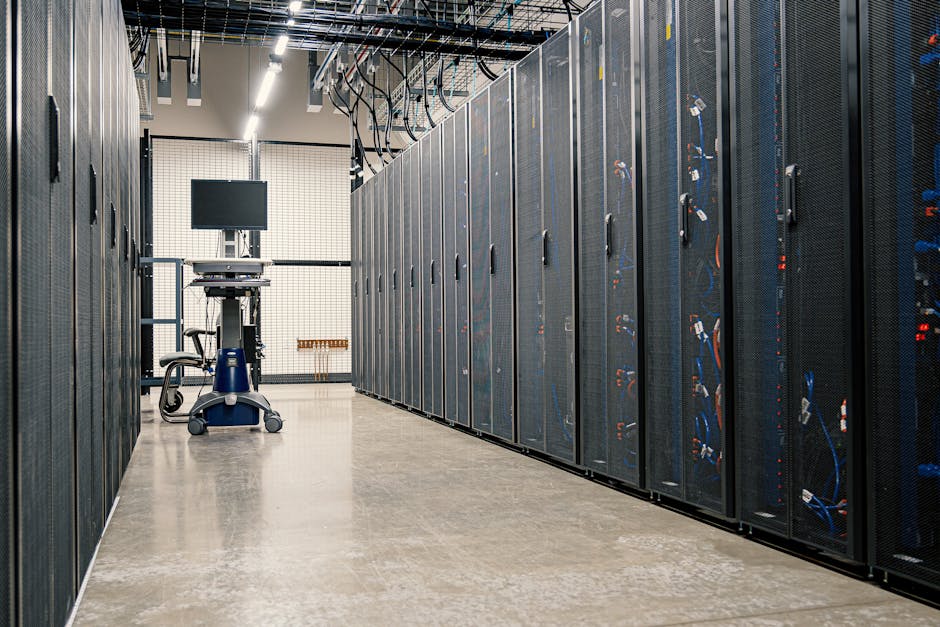
SAS runs on your infrastructure. You install it on physical servers or private cloud environments you control. That gives you full control over the environment, but it also means you’re responsible for uptime, backups, disaster recovery, and scaling. If the server goes down, your team can’t access the software until IT fixes it.
SaaS
SaaS runs on the provider’s infrastructure. You access it over the internet. The provider handles uptime, backups, and scaling. If something breaks, they fix it — usually before you notice. The tradeoff is you don’t control the environment. You trust the provider to keep it running and secure.

Cost Structure: How You Pay
SAS
SAS requires a large upfront license fee — often $50,000 to $100,000+ depending on modules and user count. Then annual maintenance fees, usually 20–30% of the license cost. You also pay for the servers, IT staff, and infrastructure to run it. The total cost of ownership is high, and most of it is paid before anyone uses the software.
SaaS
SaaS is subscription-based. You pay monthly or annually per user or per tier. A typical SaaS product might cost $50–$200 per user per month. No upfront license. No server costs. No maintenance fees. You can cancel anytime. For founders, this makes SaaS products easier to try and easier to budget. For providers, it means predictable recurring revenue.
According to research from Gartner, SaaS spending is expected to reach over $200 billion globally by 2026, driven by lower upfront costs and faster deployment compared to traditional on-premises software.
If you’re building a SaaS product and want to understand the real costs involved, our SaaS Cost Calculator breaks down typical development budgets by feature set and complexity.

Scalability: What Happens When You Grow
SAS
Scaling SAS means buying more licenses, adding more server capacity, and often reconfiguring your infrastructure. It’s not fast. If your team doubles, you’re looking at procurement cycles, budget approvals, and IT work. Growth is planned in advance, not on demand.
SaaS
Scaling SaaS is instant. Add more users, upgrade your plan, done. The provider handles the infrastructure scaling behind the scenes. You don’t think about servers or capacity. This is why startups default to SaaS — you can grow from 5 users to 500 without a single infrastructure conversation.

Customization: How Much You Can Change
SAS
SAS is highly customisable because you control the environment. You can write custom scripts, build integrations, and modify workflows to fit your exact needs. That flexibility is why large enterprises with specific requirements still choose it. The downside is customisation requires technical expertise and ongoing maintenance.
SaaS
SaaS products are less customisable by design. You get the features the provider built, plus whatever integrations and settings they expose. Some SaaS platforms offer APIs and webhooks so you can extend functionality, but you’re working within their architecture. If you need deep customisation, you either find a more flexible SaaS product or build something custom.
Security and Compliance: Who’s Responsible
SAS
With SAS, security is your responsibility. You control access, manage encryption, handle compliance, and ensure your infrastructure meets regulatory requirements. For industries like healthcare or finance, that control is often required. But it also means your team needs the expertise to do it right.
SaaS
With SaaS, the provider handles most of the security infrastructure — encryption, access controls, uptime, and often compliance certifications like SOC 2 or GDPR. You’re still responsible for user access and data governance on your side, but the heavy lifting is done for you. The risk is you’re trusting the provider. Choose one that takes security seriously.
At Inqodo, we build SaaS products with security and compliance built in from the start — not bolted on later. That includes multi-tenancy, role-based access, and audit logging as standard.
Integration Capabilities: Connecting to Other Tools
SAS
SAS can integrate with other systems, but it usually requires custom development. You’re connecting on-premises software to on-premises databases or APIs. It works, but it’s slow and expensive. Each integration is a project.
SaaS
Most SaaS products are built to integrate. They offer APIs, webhooks, and pre-built connectors to other SaaS tools. Zapier, Make, and similar platforms make it possible to connect SaaS products without writing code. If you’re building a SaaS product today, integration is not optional — it’s expected.
When SAS Still Makes Sense
SAS is not obsolete. It’s the right choice when you need on-premises control, when regulatory requirements prohibit cloud hosting, or when your workflows are so specific that off-the-shelf SaaS products don’t fit. Large enterprises with existing SAS investments and the infrastructure to support them often keep using it because switching costs are high.
But for most companies — especially startups, scale-ups, and teams without dedicated IT infrastructure — SaaS is faster, cheaper, and easier to manage. The question is not whether SaaS is better in every case. It’s whether your situation is one of the exceptions.
The Verdict: Which One Should You Choose?
If you’re a startup or a growing company and you’re choosing software, default to SaaS unless you have a specific reason not to. The speed, cost structure, and scalability make it the better option for most teams. You don’t need to manage infrastructure. You don’t need a large upfront budget. You can start today.
If you’re a large enterprise with strict compliance requirements, existing on-premises infrastructure, and the budget to support it, SAS or similar on-premises software might still be the right fit. But even then, many enterprises are moving to SaaS or hybrid models because the operational overhead of on-premises software is hard to justify.
If you’re building software and deciding how to deliver it, SaaS is the default model for a reason. It’s how most successful software companies operate now. We’ve built 30+ SaaS products at Inqodo, and the model works because it aligns the incentives — the provider succeeds when the customer succeeds. That’s harder to achieve with traditional licensing.
Frequently Asked Questions
What does SAS stand for?
SAS stands for Statistical Analysis System. It’s a software suite developed by SAS Institute for advanced analytics, business intelligence, and data management. It’s used primarily in industries like pharmaceuticals, finance, and research for processing large datasets and running statistical models.
Is SAS the same as SaaS?
No. SAS is a specific statistical analysis software product that you install on your own infrastructure. SaaS stands for Software as a Service — a delivery model where you access software through a browser and the provider hosts and maintains it. They’re completely different things that happen to have similar acronyms.
What is the difference between SaaS and SAS?
SAS is on-premises software with high upfront costs and full infrastructure control. SaaS is cloud-based software with subscription pricing and no infrastructure management required. SAS requires IT staff and servers. SaaS requires an internet connection and a login. Most modern software is delivered as SaaS because it’s faster and cheaper to deploy.
Is SAS a type of SaaS?
No. SAS is traditional on-premises software, not SaaS. However, SAS Institute now offers some of its products as cloud-based SaaS options, which confuses things. The original SAS software is not SaaS — it’s installed locally. The newer cloud versions follow the SaaS model.
Why do people confuse SAS and SaaS?
The acronyms look nearly identical, and both involve software. People also shorten “Software as a Service” to “SAS” in conversation, which adds to the confusion. If you’re reading a contract or technical document and see “SAS,” check the context — it’s probably referring to the analytics software, not the delivery model.
Can SAS software be delivered as SaaS?
Yes. SAS Institute offers cloud-based versions of its software that follow the SaaS model — you access it through a browser, they host it, and you pay a subscription. This is different from the traditional on-premises SAS software that most people think of when they hear the name.
Should I build my product as SaaS or on-premises software?
Unless you have a specific reason to build on-premises software — strict compliance, highly customised workflows, or a customer base that requires it — build SaaS. It’s faster to deploy, easier to scale, and cheaper for customers to adopt. Most successful software companies launched in the last decade are SaaS because the model works for both providers and users.
Ready to Get Started?
If you’re building a SaaS product and need a team that understands how to architect it properly from day one — multi-tenancy, billing, auth, and all the infrastructure that makes SaaS work — we’ve done this 30+ times. We’ll tell you what’s realistic, what it costs, and whether your idea needs rethinking before we write a line of code.
Most MVPs ship in 4–6 weeks. Pricing starts at $2,000 for validation builds. We scope first, then price — no surprises six months in. Get in touch with Inqodo and we’ll talk through what you’re building.
Inqodo
Inqodo Team